

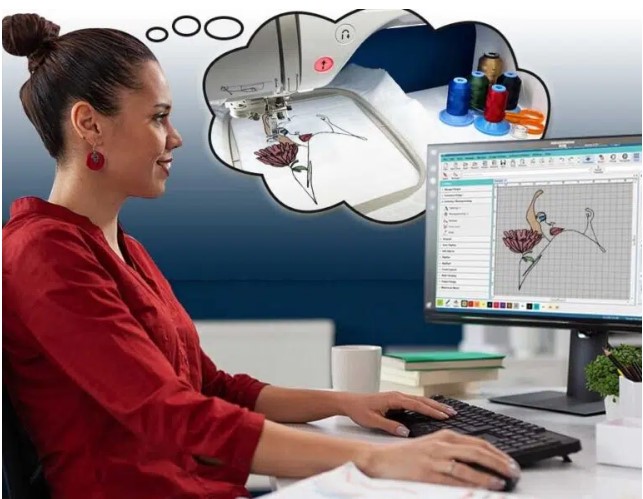
Getting a design ready for machine stitching is not just about pressing “start” on the machine. There is a full process behind it. If you skip steps, the result can look messy or even fail during stitching.
A machine does not understand normal images. It needs a proper stitch file. That is why many professionals first convert artwork to OFM File Format so the design becomes readable for the embroidery machine.
When your design is prepared the right way, the machine runs smoothly. The stitches look clean. And the final result looks professional.
Why Proper Design Setup Matters
A good design setup is the base of good embroidery.
If the setup is wrong, you may face:
- Thread breaks
- Uneven stitching
- Design shifting
- Poor fabric finish
Good setup avoids all these problems.
My First Experience with Machine Stitching
When I started embroidery, I used simple image files. I thought they would work fine.
But I quickly faced problems.
I saw:
- Broken threads
- Gaps in design
- Machine stops often
Later, I learned that machine stitching needs proper file preparation. Experts at Digitizing Buddy helped me understand how clean design setup improves machine performance.
What Makes a Design Machine-Ready
A machine-ready design is not just an image. It is a detailed stitch plan.
It includes:
- Stitch paths
- Stitch types
- Density settings
- Color sequence
Without these, the machine cannot work properly.
Step-by-Step Guide to Prepare Your Design
Step 1: Start with Clean Artwork
Why It Matters:
Clean artwork reduces errors.
Tip:
Remove extra noise or background.
Step 2: Simplify the Design
Why It Matters:
Too much detail is hard for machines.
Tip:
Keep only important parts.
Step 3: Choose Correct Stitch Types
Why It Matters:
Each area needs a different stitch.
Types:
- Fill stitch for large areas
- Satin stitch for borders
- Run stitch for outlines
Step 4: Set Proper Stitch Density
Why It Matters:
Controls how tight stitches are.
Result:
Balanced and smooth finish.
Step 5: Plan Stitch Order
Why It Matters:
Order affects machine flow.
Tip:
Stitch nearby areas together.
Step 6: Add Underlay
Why It Matters:
Supports top stitches.
Result:
Stable and clean design.
Step 7: Test the Design
Why It Matters:
Find issues early.
Tip:
Always run a sample stitch.
Importance of Stitch Path Planning
Stitch path is the route the machine follows.
Good Path
- Smooth movement
- Less thread breaks
- Faster stitching
Poor Path
- Extra jumps
- Thread waste
- Machine stops
Good planning is very important.
Role of Stitch Density
Density controls stitch spacing.
High Density
Problem:
Fabric becomes stiff.
Low Density
Problem:
Design looks weak.
Balanced Density
Result:
Clean and flexible design.
Why Underlay Is Important
Underlay is the base layer of stitching.
Benefits:
- Supports fabric
- Improves design shape
- Reduces shifting
Without underlay, designs may look uneven.
Fabric Type and Its Impact
Different fabrics behave differently.
Cotton Fabric
Easy to stitch.
Polyester Fabric
Needs balanced settings.
Stretch Fabric
Needs extra care.
Always match design with fabric type.
Common Mistakes in Machine Stitching
Using Raw Images
Machines cannot read them properly.
Wrong Stitch Density
Leads to poor results.
Skipping Testing
Causes unexpected errors.
Poor Stitch Order
Makes machine work harder.
How Experts Prepare Stitch Files
Experts follow a clear system.
Step 1: Analyze Design
Check every detail carefully.
Step 2: Convert Artwork
Turn image into stitch format.
Step 3: Assign Stitch Types
Choose correct stitches for each area.
Step 4: Optimize Path
Reduce unnecessary movement.
Step 5: Test Run
Check design before final use.
This method ensures smooth stitching.
Why File Format Matters
Machines use special file types.
Common Formats:
- DST
- PES
- OFM
Each format tells the machine how to stitch.
Importance of Machine Settings
Machine settings affect final output.
Speed Control
Slower speed gives better control.
Tension Control
Balanced tension avoids thread issues.
Needle Choice
Correct needle improves stitching.
Why Beginners Face Stitching Issues
Beginners often:
- Skip planning
- Use wrong files
- Ignore settings
This leads to poor results.
How Proper Setup Improves Machine Performance
Good setup helps machines:
- Run smoothly
- Reduce thread breaks
- Finish faster
Why Testing Is a Must
Testing saves time and effort.
Benefits:
- Detect errors early
- Improve quality
- Avoid waste
Never skip test stitching.
Role of Software in Stitch Preparation
Software helps create stitch files.
Benefits:
- Design control
- Stitch editing
- Path planning
It makes work easier and accurate.
Why Professionals Get Better Results
Professionals know:
- Stitch rules
- Fabric behavior
- Machine limits
That is why their work looks cleaner.
Many rely on Digitizing Buddy for precise and smooth stitch file preparation.
EEAT in Machine Stitching
Good embroidery follows strong principles.
Experience
Real machine work knowledge.
Expertise
Understanding of stitch setup.
Authority
Reliable and tested methods.
Trustworthiness
Consistent results every time.
These make embroidery work strong and reliable.
Tips for Smooth Machine Stitching
Start with Clean Artwork
Better input means better output.
Use Correct File Format
Ensure machine compatibility.
Keep Design Simple
Avoid unnecessary detail.
Balance Density
Do not overfill design.
Always Test First
Check before final run.
How Good Design Saves Time
Bad design causes:
- Machine stops
- Thread breaks
- Rework
Good design avoids these issues.
Why Businesses Trust Experts
Businesses need smooth production.
That is why many choose Digitizing Buddy for clean and machine-ready stitch files.
How Design Affects Final Stitch Quality
Good design ensures:
- Smooth stitching
- Clean edges
- Professional look
Final Thoughts
Getting your design ready for smooth machine stitching is all about proper setup and planning. It is not just about converting an image. It is about preparing a complete stitch map for the machine.
When you follow the right steps, your embroidery becomes clean, fast, and professional.
With expert help from Digitizing Buddy, you can turn any design into a smooth and reliable stitch file that runs perfectly on any machine.
