

Managing equipment across several construction sites is difficult because machines, tools, trailers, rentals, and crews are constantly moving. One project may need an excavator, another may need a loader, and a third may be waiting on a trailer that no one can locate.
Without one clear system, equipment management becomes messy fast. This is why contractors use construction equipment management software to improve tracking, maintenance, utilization, and cost control across multiple jobsites. Construction companies cannot afford equipment chaos. Machines are too expensive, schedules are too tight, and margins are too thin.
Why Multi-Site Equipment Management Is So Hard
Managing equipment on one jobsite is already demanding. Managing it across multiple sites adds more complexity.
Equipment may move between:
- Main yards
- Active jobsites
- Repair shops
- Vendor locations
- Rental yards
- Storage areas
- Subcontractor-controlled spaces
Each move creates a chance for confusion. If the transfer is not recorded, the asset becomes harder to find. If maintenance status is not updated, the wrong machine may be sent to a project. If rental equipment is not tracked properly, the company may pay for assets it no longer needs.
The problem is not that contractors lack effort. The problem is that manual systems cannot keep up with fast-moving operations.
The Limits of Spreadsheets and Phone Calls
Many contractors still rely on spreadsheets, whiteboards, text messages, and phone calls to manage equipment. These methods may work for a small team, but they usually fail as the company grows.
A spreadsheet can become outdated the moment a machine moves. A phone call may solve one problem but leave no reliable record. A whiteboard in the office cannot help a superintendent in the field. A text thread can bury important maintenance information.
Manual systems create blind spots.
Those blind spots lead to:
- Lost equipment
- Duplicate rentals
- Idle machines
- Missed maintenance
- Delayed crews
- Unclear ownership
- Poor job costing
- Weak accountability
Construction equipment management software gives teams a central place to manage equipment information in real time.
One Clear View of Equipment
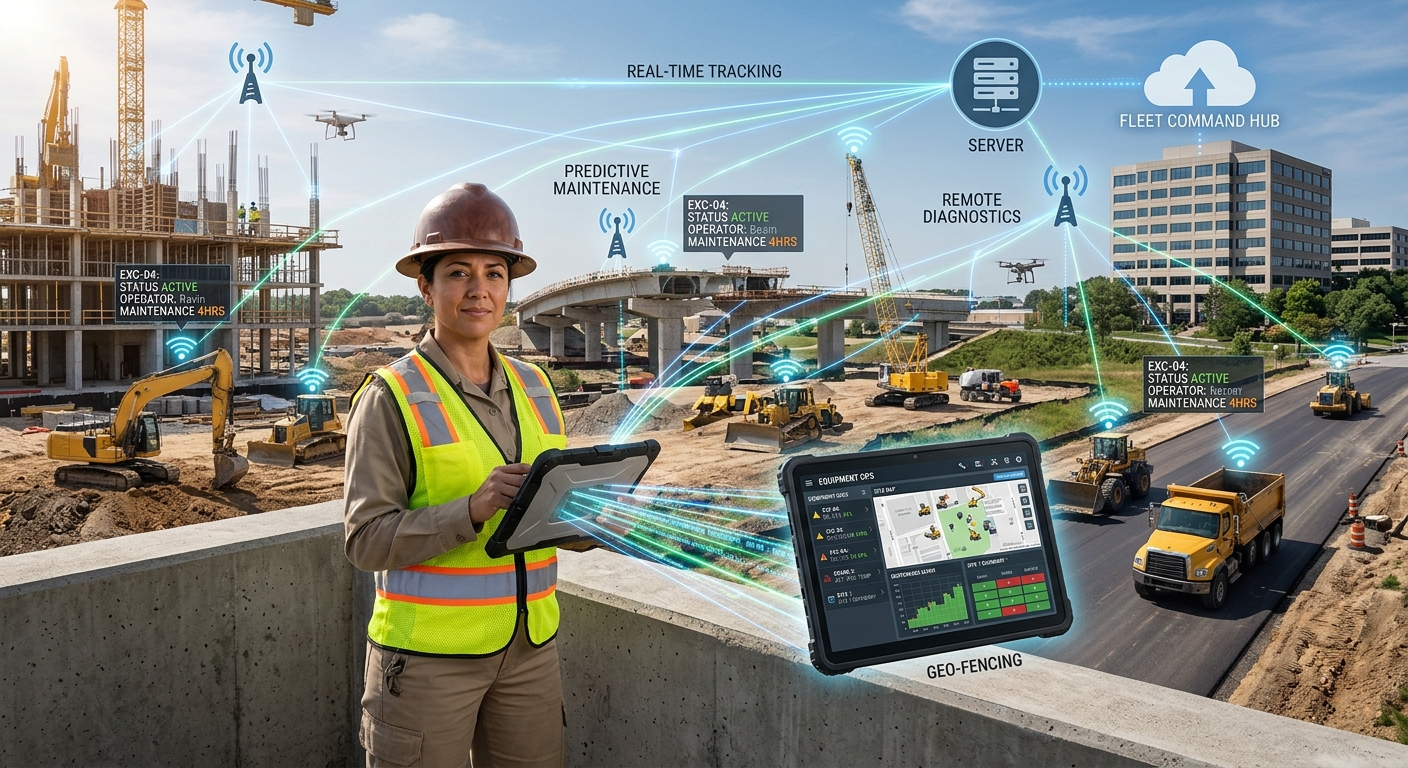
The biggest advantage of a modern equipment management system is visibility. Contractors need one clear view of every machine, tool, trailer, and rental asset across all sites.
That view should show:
- Where the asset is
- Which jobsite it is assigned to
- Whether it is available
- Whether it is owned or rented
- Whether it is due for service
- Who is responsible for it
- How often it is used
- What it costs to operate
- What repairs it has needed
When this information is easy to access, teams make better decisions. Dispatch can move equipment faster. Project managers can plan with confidence. Mechanics can schedule service properly. Leadership can see which assets are helping the business and which ones are draining money.
Better Tracking Across Construction Sites
Tracking is a core part of equipment management. Contractors need to know where assets are and how they move.
Different assets may require different tracking methods. High-value machines may use GPS or telematics. Tools may use QR codes or barcodes. Trailers may use location trackers. Rentals may be tracked through assignment records and return dates.
A good system does not treat every asset the same. It gives contractors flexible tracking options based on value, risk, and movement frequency.
Better tracking helps reduce:
- Search time
- Unauthorized movement
- Lost tools
- Rental confusion
- Jobsite delays
- Theft risk
- Dispatch errors
Visibility is the first step toward control.
Maintenance Planning Across Sites
Maintenance becomes harder when equipment is spread across many locations. A machine may be due for service, but the project team may still expect to use it. A mechanic may need to travel to a site without knowing the full repair details. A machine may continue working with a small defect until it becomes a major failure.
A strong equipment management system connects maintenance to field operations.
It helps contractors manage:
- Preventive maintenance
- Digital inspections
- Work orders
- Repair requests
- Service history
- Mechanic notes
- Fault alerts
- Downtime
- Maintenance costs
This reduces surprises and helps teams plan repairs before breakdowns disrupt the schedule.
Utilization Data Helps Prevent Waste
Contractors often own more equipment than they effectively use. Some machines are overworked while others sit idle. Some jobsites hold equipment longer than needed. Some assets remain assigned to projects after the work is complete.
Utilization data helps reveal these patterns.
With better utilization visibility, contractors can:
- Move idle equipment to active jobsites
- Reduce unnecessary rentals
- Delay unnecessary purchases
- Sell underused assets
- Improve project planning
- Understand true fleet demand
- Increase return on owned equipment
This is one of the biggest financial benefits of construction equipment management software. It helps companies get more value from equipment they already own.
Rental Equipment Needs the Same Visibility
Rental equipment should not be managed separately from owned equipment. If rentals are tracked poorly, costs can climb quickly.
A rented machine may remain on-site after it is no longer needed. A project may rent equipment while another jobsite has an owned asset available. A rental return may be delayed because no one is clearly responsible.
Good equipment management makes rentals visible alongside owned assets.
Teams should be able to see:
- Rental start date
- Rental location
- Project assignment
- Cost
- Return deadline
- Responsible person
- Usage status
- Replacement options from owned fleet
This helps contractors reduce rental waste and protect margins.
Field Adoption Matters
The best system is useless if field teams do not use it. Equipment management software must be easy for superintendents, foremen, mechanics, operators, and dispatchers.
Field teams need mobile access so they can:
- Update asset location
- Complete inspections
- Report problems
- Request maintenance
- Confirm transfers
- Upload photos
- View equipment details
- Check availability
The system should reduce friction, not create more paperwork. If crews see value in the tool, adoption becomes much easier.
What to Look for in the Right System
Contractors should look for a platform that supports the full equipment lifecycle.
Important features include:
- Equipment records
- Location tracking
- Jobsite assignments
- Maintenance scheduling
- Digital inspections
- Work orders
- Utilization reporting
- Rental tracking
- Cost history
- Mobile access
- Telematics integrations
- Dashboards
- Alerts
- Reporting by project or asset
The goal is not just data collection. The goal is better decisions.
Final Thoughts
Managing equipment across construction sites requires more than spreadsheets and phone calls. Contractors need one reliable source of truth for location, maintenance, utilization, rentals, and costs.
The smarter way is clear. Track every asset, plan maintenance before failure, manage rentals tightly, and use data to keep equipment productive across every construction site.